inventory
CMPSR
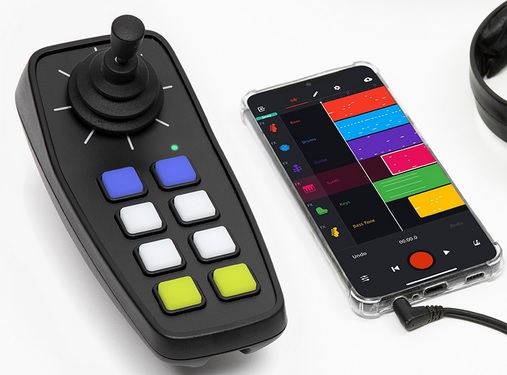
Manufacturer Website Link: https://digitmusic.co.uk/
Serial No(s):
Quick Start Guide
Plug in the CMPSR, using the included USB-C cable. It should start up and show up as a MIDI input in your operating system. You can then use it to make musical notes in any DAW (Digital Audio Workstation), such as garageBand, thumbJam, ableton live, logic, etc.
Starter guide: https://www.digitmusic.co.uk/wp-content/uploads/2025/02/CMPSR-Starter-explore.pdf
User manual: https://cdn.shopify.com/s/files/1/0557/0556/7432/files/Cmpsr_Owners_Manual.pdf
Cheat sheet: https://cdn.shopify.com/s/files/1/0557/0556/7432/files/CMPSR-Cheat-Sheets.pdf
You can also use the CMPSR official app, CMPSR swipe:
iOS/MAC: https://apps.apple.com/au/app/cmpsr-swipe/id6466997330
Android: https://play.google.com/store/apps/details?id=uk.co.digitmusic.cmpsr.emu
Troubleshooting
-BLE (bluetooth) MIDI is initialised by pressing the small button underneath the controller. Always try connecting BLE within your music software first. For example, in Thumbjam, go to Prefs -> MIDI Control -> Scan for Bluetooth LE.
Pairing is completed in the Bluetooth manager on MAC, or within your music software
On Windows, third party pieces of software need to be installed - See our full guide to using BLE devices on windows (it’s surprisingly difficult) here
On Android, pairing is likely completed within your music software.
-Power on/off by holding the button on the underside.
-Reset by holding the two top buttons for a few seconds.
Having other issues? ask a question